Promoted articles
Useful tips before your asset upload
Nira supports data from any application. The following help article provides general suggestions ...
How do I upload an asset to Nira?
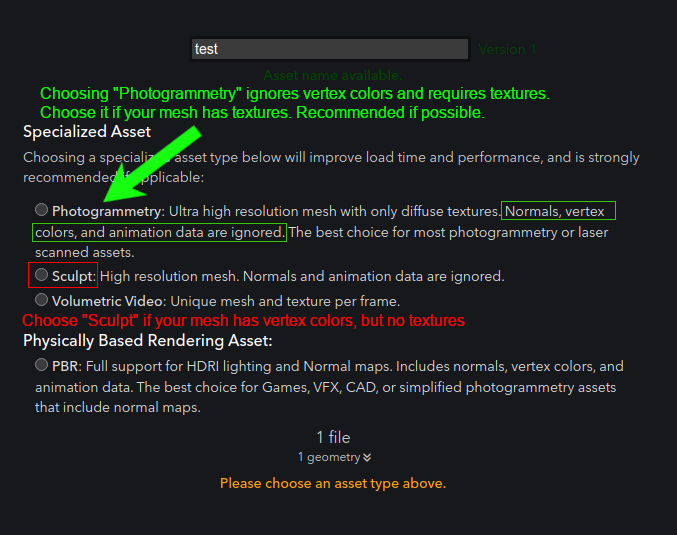
(Note: Before you upload, it's great to check out our help article Useful tips before your asset ...
Useful tips after your asset upload
(Also see: Useful tips before your asset upload)
Learn how to navigate the view
If this is your f...
How do I navigate the asset view (camera)?
Tip: Watch this video (3m38s) for a tour of Nira's view navigation.
You can switch between Nira's...
How do I fix the orientation of my uploaded asset?
If your asset is oriented strangely or the camera navigation feels unusual, the coordinate system...
Why doesn't my asset have colors?
There are two different ways to provide color data for a mesh asset -- Textures or Vertex Colors....
 Orbit Tool (Default): Dragging in the view rotates around the asset
 Pan Tool: Dragging in the view moves up/down/left/right
 Dolly / Zoom Tool: Dragging in the view zooms in or out
 Camera Fly Tool (aka "FPS Style Navigation"): See Camera Fly Mode section below