Inspect UVs with the UV View
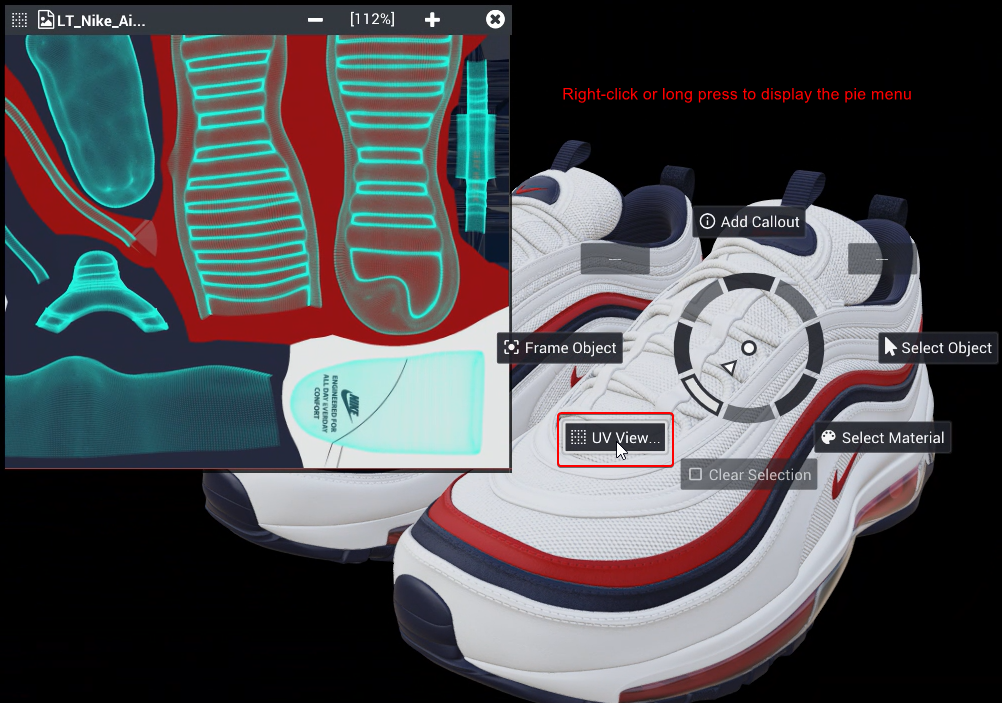
Open the UV View from the Edit Mode pie menu to inspect the UVs of the selected object.
Written By Nira.app
Last updated 21 days ago
The UV View lets you inspect the model's UVs. Within Edit Mode, right-click or long press on top of your model to display and engage the UV View... button within the pie menu. The UV View will display the UVs for the currently selected object.
Was this helpful?
Still need help? Share an idea