UV Stretch render mode
Turn on UV Stretch in Edit Mode to see compressed, stretched and missing UVs in color, using the Render Mode menu or the U key.
Written By Nira.app
Last updated 20 days ago
UV Stretch Render Mode lets you easily identify areas of the model that have stretched, compressed, or missing UVs. The colors provides visual feedback of the UV distortion: red faces indicate compression, blue faces indicate stretching, white faces indicate optimal UV size, and black indicate missing UVs.
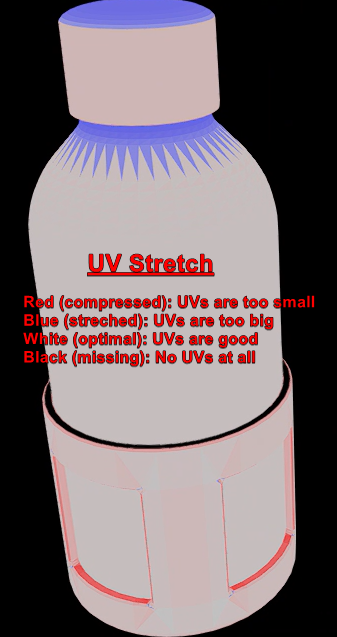
glTF Water Bottle courtesy of Khronos Group: https://github.com/KhronosGroup/glTF-Sample-Models/tree/master/2.01/WaterBottle
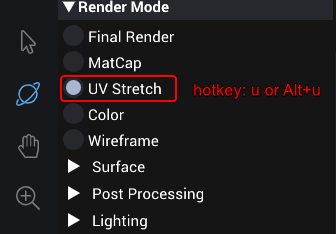
You can enable UV Stretch within: Edit Mode > View Options > Render Mode: UV Stretch or by pressing Alt+u or the u hotkey.
Note: You may need to re-upload your asset to use this feature if your asset is older than July 20, 2022.
Was this helpful?
Still need help? Share an idea