API keys: create a Key Id and Key Secret
Create an API Key Id and Key Secret in the admin panel with an Admin or Contributor role, for third-party apps or the Nira API.
Written By Nira.app
Last updated 20 days ago
If you're utilizing Nira support within a 3rd party application, or using the Nira API, you'll need to generate an API Key Id and Secret. Here's how to do it:
- Log into your Nira organization with the email and password you used when signing up. Your Nira organization URL will be something like https://YOURSITE.nira.app/
- Once you're logged in, click on the admin panel button:

- In the left panel, click on the API Keys submenu:

- In the upper-right corner, click the Add button:

- The API Key dialog will open. Choose either an "Admin" role or a "Contributor" role for your API key (if you're just uploading assets, either will work fine), then click "Create".
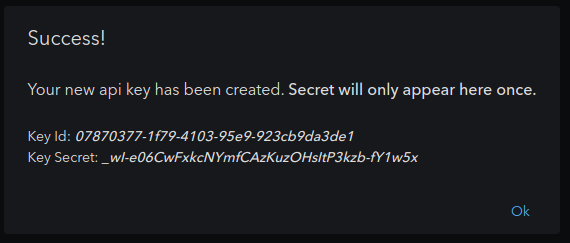
- You will now receive a dialog like the one below. Copy and paste the Key Id and Key Secret from this dialog into your application.
Was this helpful?
Still need help? Share an idea