RIEGL RiSCAN PRO export guide
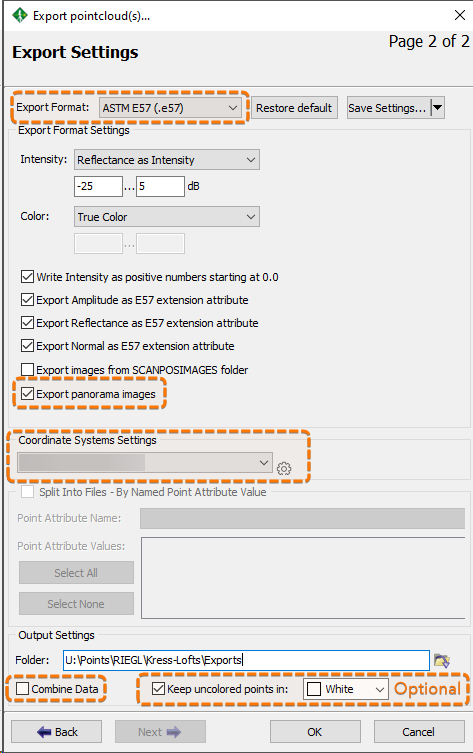
RIEGL RiSCAN PRO export settings for Nira: separate scan setups, panorama images, and Combine data turned off.
Written By Nira.app
Last updated 20 days ago
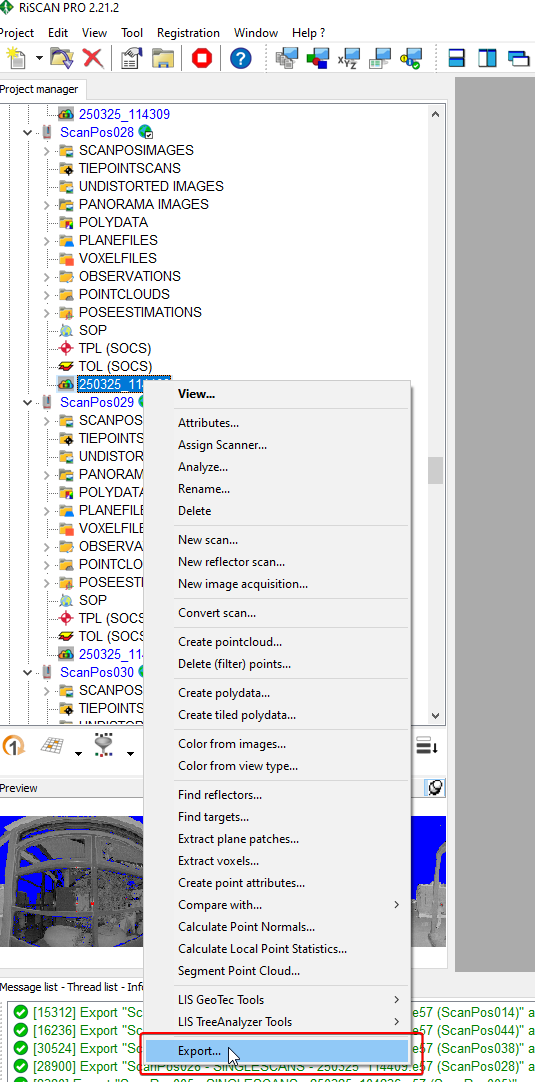
Right-click on a scan setup and click Export...
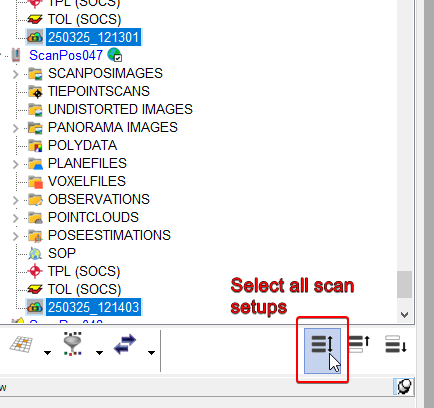
To export multiple scan setups simultaneously, start by selecting one scan, then click the "Select All" button (shortcut: Ctrl+Shift+A).
Export Format: ASTM E57 (.e57)
Enable Export panorama images
Choose your preferred Coordinate Systems Settings
Disable Combine data
Click OK
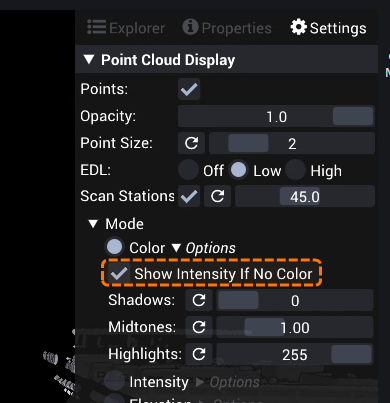
If you enable "Keep uncolored points in:", you can hide the uncolored points in Nira by using the disabling the "Show Intensity If No Color" option:
Was this helpful?
Still need help? Share an idea